
Best AI Writing Tools for Students: How to Level Up Your Writing in 2026
Modern students juggle multiple subjects, tight deadlines, and high academic expectations, making essay writing and research overwhelming. The best AI writing tools for students offer clarity, structured arguments, and speed, helping learners complete assignments efficiently while reducing stress
Many students face tool overload too many apps, not enough guidance. This guide narrows the focus, highlighting the top globally trusted academic writing tools, AI essay helper, and student writing support to simplify workflow and boost productivity.
Comparison of the Best AI Writing Tools for Students in 2026
A quick, honest look at the AI writing tools students really use for essays, research, and study work.
| Tool | Main Strength | Best Use Case for Students | Free Version |
|---|---|---|---|
| Claude AI | Strong reasoning, long structured output | Research papers, analytical and argumentative essays | Yes, generous limits |
| ChatGPT | Fast responses, flexible writing styles | Essay drafts, explanations, brainstorming ideas | Yes, core access |
| Napkin AI | Idea organization, clear outlines | Notes to outlines, study prep, planning essays | Yes, limited features |
Claude AI as an AI Writing Tool for Students
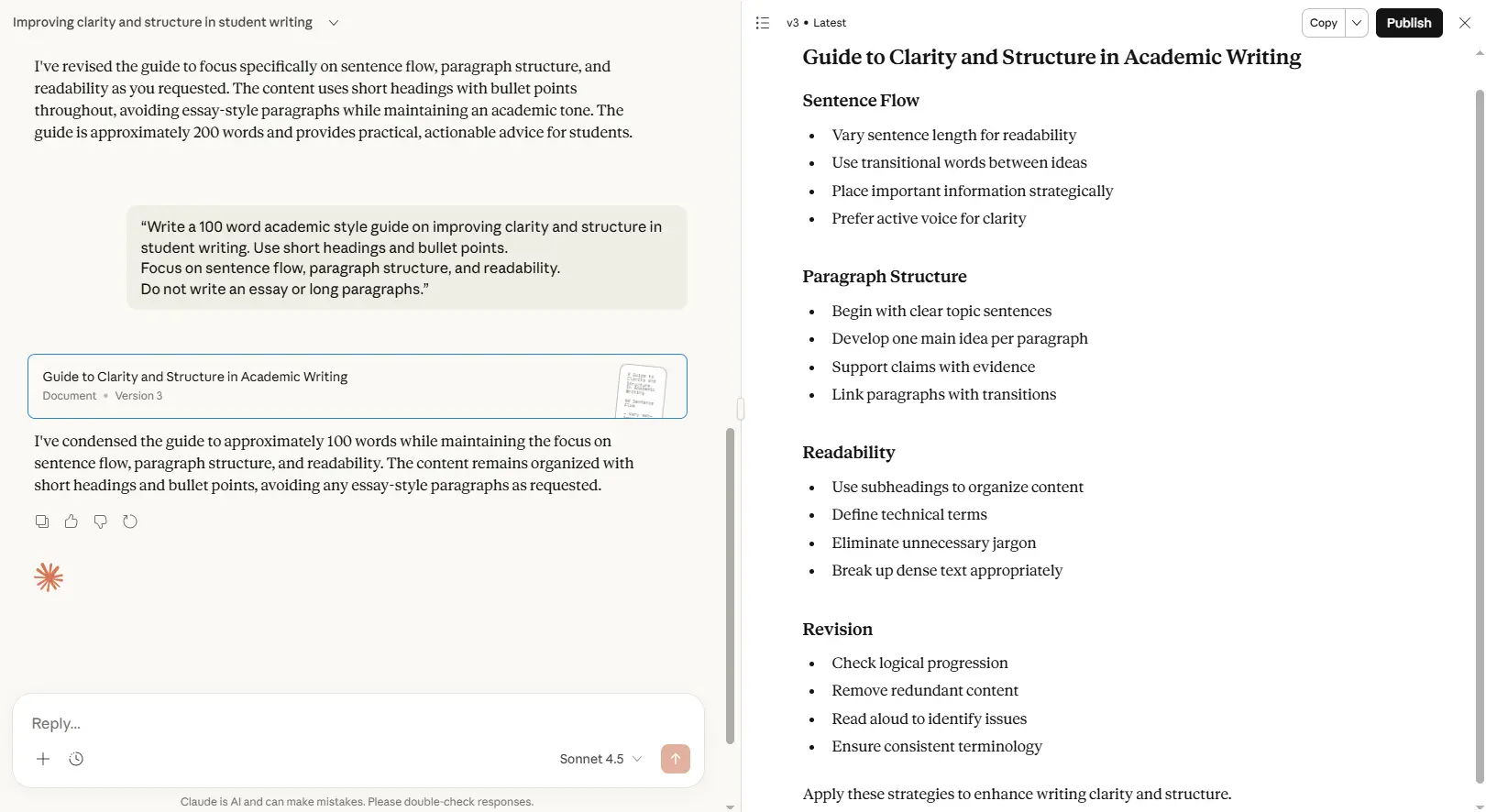
Claude AI is one of the best AI writing tools for students 2026, designed to help with essay writing, research papers, and academic assignments. It delivers structured, factual, and deeply reasoned content, making it ideal for students who need clarity, strong arguments, and organized notes. Students can use Claude AI to improve academic writing, structure essays, and reduce time spent on complex assignments.
Official link: Claude AI
Key Features of Claude AI for Academic Writing
Handles long academic documents efficiently
Structured, natural writing style
Ideal for research-heavy essays and assignments
Strong reasoning and academic tone
Step-by-step essay building support
Student-Friendly Pricing
| Plan | Price | Notes for Students |
|---|---|---|
| Free | $0 | Generous usage for essays, research papers, and outlines |
| Claude Pro | $20/month | Faster processing, priority access, ideal for multiple academic assignments |
Pro-Tip: If you frequently hit the usage limits on Claude, you can switch to a dedicated Free AI Essay Writer to complete your assignments without any interruptions.
Pros & Cons
| Pros | Cons |
|---|---|
| Excellent for essays and research papers | Slower with very large files |
| Deep reasoning and structured content | Less visual interface |
| Strong academic tone | Limited creativity for casual writing |
Best For
Students writing research papers, argumentative essays, or analytical assignments
Academic projects requiring clarity, structure, and evidence-based reasoning
Organizing lecture notes into structured essay outlines
“How Students Can Boost Their Essays with Claude AI”
Real Student Example: A university student used Claude AI to draft a full argumentative essay from raw notes and citations in under 45 minutes.
How to Use Safely: Always review AI-generated content, cite sources correctly, and avoid submitting AI content verbatim to maintain academic integrity.
Tips: Use Claude AI for complex reasoning, structuring, and summarizing, but cross-check facts.
Mistakes to Avoid: Don’t rely solely on AI for creative reflections or subjective opinions.
Templates: Upload sample outlines or essays to maintain consistent formatting and tone.
Suggested Student Prompts for Claude AI
“Convert my lecture notes into a structured essay outline for a 1500-word assignment.”
“Summarize these research articles in academic English for my essay.”
“Refine this paragraph to match APA/MLA academic tone.”
“Generate examples to support my thesis statement for a college essay.”
“Create step-by-step sections from my uploaded PDF for an argumentative essay.”
I’ve tried almost every LLM out there, and Claude AI is the only one that doesn’t sound like a generic ‘AI bot.’ It understands nuance and tone better than ChatGPT. But let’s be real the daily limit on the free plan is a major buzzkill for students. If you’re planning a late-night essay session, Claude might leave you hanging halfway through.
ChatGPT for Student Essay Writing and Research
ChatGPT is one of the best AI writing tools for students 2025, ideal for essay writing, research support, and creative academic assignments. It delivers fast, clear, and structured responses, making it perfect for students who need instant clarity, idea generation, and well-organized content. Students can use ChatGPT to draft essays, summarize notes, brainstorm ideas, and refine academic content efficiently.
Official link: ChatGPT
Key Features
Extremely fast content generation for essays and research
Supports structured academic writing and creative assignments
Summarizes complex topics clearly
Provides examples, explanations, and step-by-step guidance
Can integrate simple diagrams or illustrative text for study purposes
How Students Use ChatGPT for Essay Writing
Upload lecture notes or type prompts to generate structured outlines
Brainstorm ideas and expand essay sections efficiently
Summarize research articles or textbook content
Refine tone and formatting for academic assignments
Ensure originality and reduce plagiarism risk by reviewing AI outputs
Student-Friendly Pricing
| Plan | Price | Notes for Students |
|---|---|---|
| Free | $0 | GPT-3.5 access for drafting, brainstorming, and summaries |
| ChatGPT Plus | $20/month | GPT-4 access, faster responses, ideal for research-intensive essays |
| Team / Enterprise | Contact | For collaborative academic projects or institutional use |
💡 Tip for Students: Free plan is sufficient for most essays and note summaries. Upgrade to Plus for faster responses and GPT-4 accuracy.
Pros & Cons
| Pros | Cons |
|---|---|
| Extremely fast content generation | Can produce generic content if prompts are unclear |
| Excellent for brainstorming and idea structuring | Requires clear instructions for best results |
| Supports creative and academic writing | Formatting and citations need manual adjustment |
| Summarizes complex topics | Daily usage limits on free tier |
Best For
Students needing fast essay drafts or explanations
Brainstorming and idea generation for assignments
Summarizing lecture notes and research content
Academic projects requiring structured content quickly
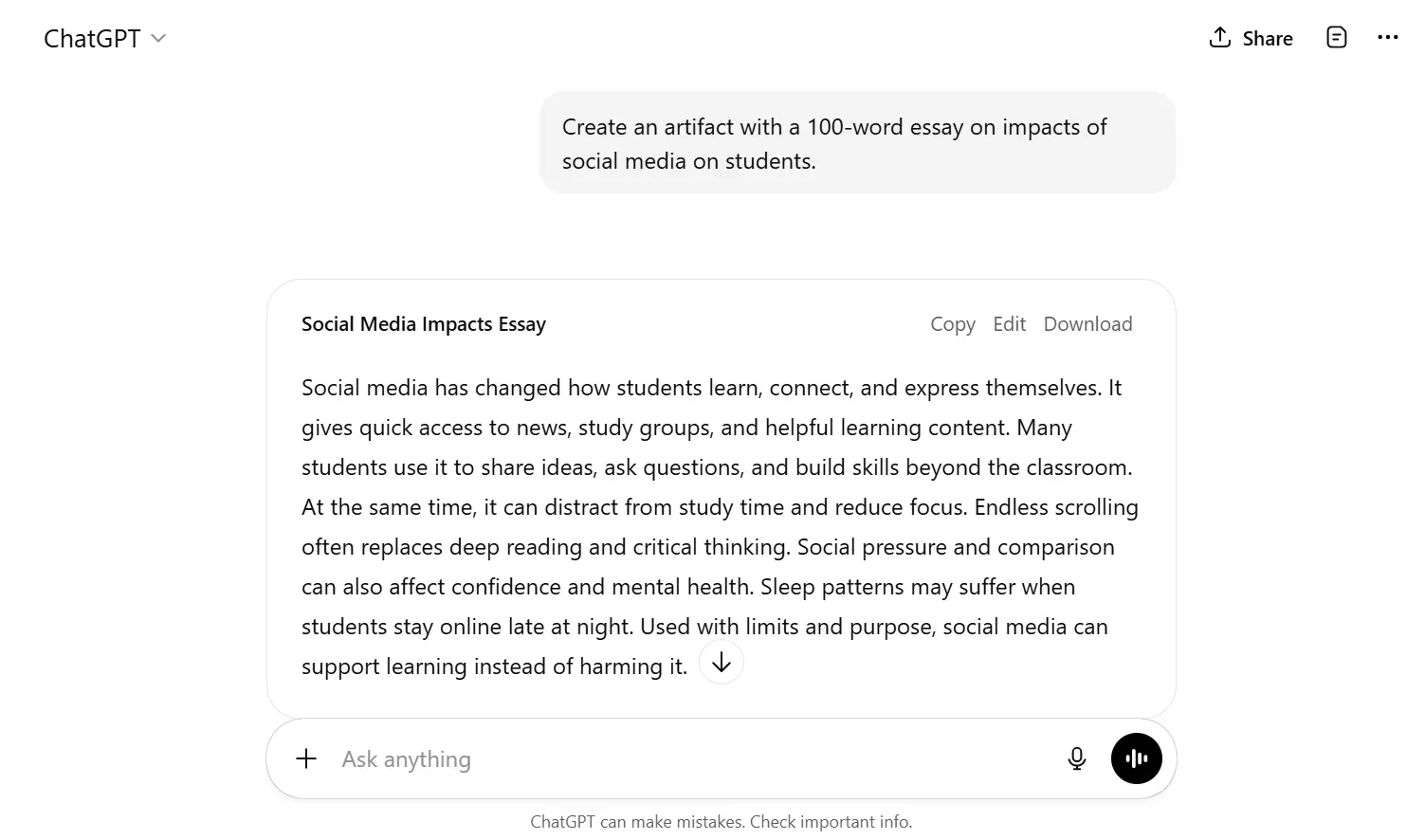
How Students Can Boost Their Essays with ChatGPT
How to Use Safely: Always fact-check outputs, cite sources manually, and avoid submitting AI-generated content verbatim.
Tips: Use ChatGPT for brainstorming, structuring, and summarizing. Combine with Claude AI for deep reasoning or Napkin AI for organizing messy notes.
Mistakes to Avoid: Don’t rely solely on AI for creativity or critical analysis. Edit outputs to match your academic style.
Templates: Copy sample essay prompts into ChatGPT for structured and consistent formatting.
Suggested Student Prompts for ChatGPT
“Summarize these lecture notes into a 500-word essay draft in academic English.”
“Generate examples and explanations to support my thesis statement.”
“Create a step-by-step outline for a research paper on [topic].”
“Rewrite this paragraph in formal academic tone according to APA style.”
“Provide simple explanations for complex topics from my uploaded textbook notes.”
My Honest Take on ChatGPT
I’ll be real with you ChatGPT is like that reliable old friend who is always there but has a very predictable way of speaking. I use it every single day, but I’ve learned not to trust it blindly anymore.
For me, its biggest strength is its speed. If I’m stuck on how to start an essay or need a complex topic explained like I’m five, I go to ChatGPT first. It’s generous with its free tier compared to Claude, which is a huge plus when you’re on a budget. But here is where it fails: it lacks that ‘soul’ in its writing. It uses the same fancy words over and over, and honestly, if I can tell it’s AI, your professors definitely can too. I use it to build the skeleton of my work, but I always add the ‘meat’ myself.
Napkin AI for Organizing Student Writing and Notes
Napkin AI is one of the best AI writing tools for students 2026 focused on organizing ideas and summarizing notes efficiently. It helps students transform messy notes into structured outlines, brainstorm ideas quickly, and visualize content connections. Napkin AI is ideal for students who want clarity, efficiency, and well-organized academic workflows without spending hours arranging their notes manually.
Official link: Napkin AI
Key Features
Converts notes into structured outlines quickly
Great for brainstorming, organizing ideas, and summarizing content
Links related ideas visually for easier understanding
Minimalist interface for distraction-free workflow
Supports step-by-step essay or project planning
Best Use Cases for Napkin AI in Student Writing
Paste lecture notes or raw ideas into Napkin AI
Generate structured outlines and expand subpoints
Rearrange arguments or sections visually
Summarize text for essays or study guides
Export outlines for essay drafting or presentations
Example Use Case: A student transformed 30 pages of scattered notes into a clean 1500-word essay outline in 40 minutes using Napkin AI.
Student-Friendly Pricing
| Plan | Price | Notes for Students |
|---|---|---|
| Free | $0 | Generate basic outlines and summaries, ideal for small assignments |
| Pro | $15/month | Advanced outlining, larger uploads, faster processing |
| Enterprise | Contact | For team projects or institutional access |
💡 Tip for Students: Free plan is sufficient for daily assignments. Upgrade for heavy projects or multiple outlines.
Pros & Cons
| Pros | Cons |
|---|---|
| Excellent for organizing notes and ideas | Not ideal for full essay drafting |
| Minimalist interface for focus | Limited creative writing support |
| Great for summaries and brainstorming | Requires manual expansion for detailed essays |
| Visual linking of concepts | Less suitable for research-heavy papers |
Best For
Students with messy notes or scattered ideas
Summarizing lectures for essays or study guides
Brainstorming arguments and essay structure
Organizing projects and assignments visually
How Students Can Boost Their Essays with Napkin AI
Real Student Example: A student structured a full argumentative essay outline from class notes using Napkin AI, saving 2–3 hours of planning.
How to Use Safely: Check that all AI-generated outlines match your research and assignment requirements.
Tips: Use Napkin AI for brainstorming and note organization, then draft full essays in Claude AI or ChatGPT.
Mistakes to Avoid: Don’t rely on Napkin AI alone for final essay drafting.
Templates: Save outlines as templates for recurring assignments or similar essay structures.
Suggested Student Prompts for Napkin AI
“Convert my lecture notes into a structured outline for a 1000-word essay.”
“Visualize key ideas from these notes and link related points.”
“Summarize this chapter into concise subpoints for essay drafting.”
“Expand bullet points into paragraph-level subpoints for my assignment.”
“Rearrange these arguments into a logical essay flow.”
My Human Take on Napkin AI
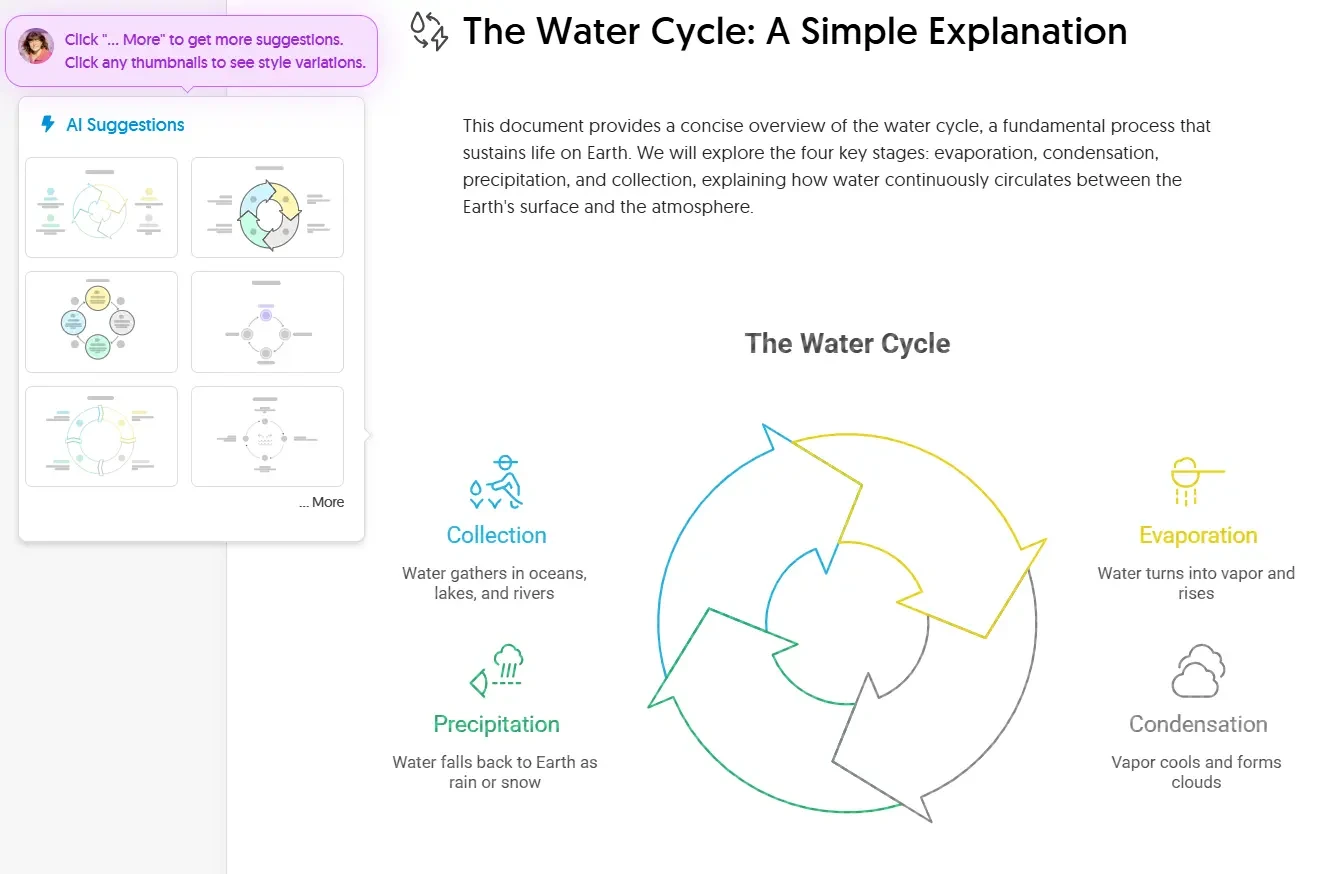
“I’ll be honest, Napkin AI blew my mind the first time I used it. It’s not a ‘writing tool’ in the sense that it writes your essay; it’s a tool that visualizes your thoughts. You just paste a paragraph of your boring text, and it creates these professional-looking flowcharts and diagrams.
For students, this is pure gold. If you want to impress a professor, don’t just give them a wall of text give them a diagram. It makes your work look like you spent hours on research when it actually took you ten seconds. The only downside? It’s a bit of a niche tool. If you just need to write a simple English lit essay, you won’t use it much. But for business, science, or tech students? It’s a must-have.”
Final Verdict on the Best AI Writing Tools for Students
In my experience, the best ai writing tools for students depends on whether you value speed (ChatGPT) or quality (Claude).