
Why Students Need Better Free AI Essay Writers Today
Academic writing demands time, focus, and clear structure, which often overwhelms students managing multiple assignments. To ease this pressure, a free AI essay writer helps generate drafts, organize ideas, and format citations within minutes. Many AI writing tools also reduce writer’s block while supporting basic academic standards. From research papers to literature reviews, the right essay assistant helps students work faster without lowering quality.
This guide reviews three popular platforms—Olovka AI, Yomu AI, and Aithor AI—to help students choose the best free AI essay writer for their needs. Beginners benefit from guided structure, while advanced users gain support for complex research tasks. Understanding how these AI essay generators differ helps students meet deadlines confidently and improve writing efficiency.
Comparison of Top AI Essay Writers (2025)
| Tool | Core Strength | Best Use Case | Free Version |
|---|---|---|---|
| Olovka AI | Academic structure & citations | Research papers, structured essays | 3 essays/month |
| Yomu AI | Research integration | Literature reviews, source synthesis | Limited features |
| Aithor AI | Fast drafting | Quick assignments, brainstorming | 1000 words/month |
Olovka AI Overview
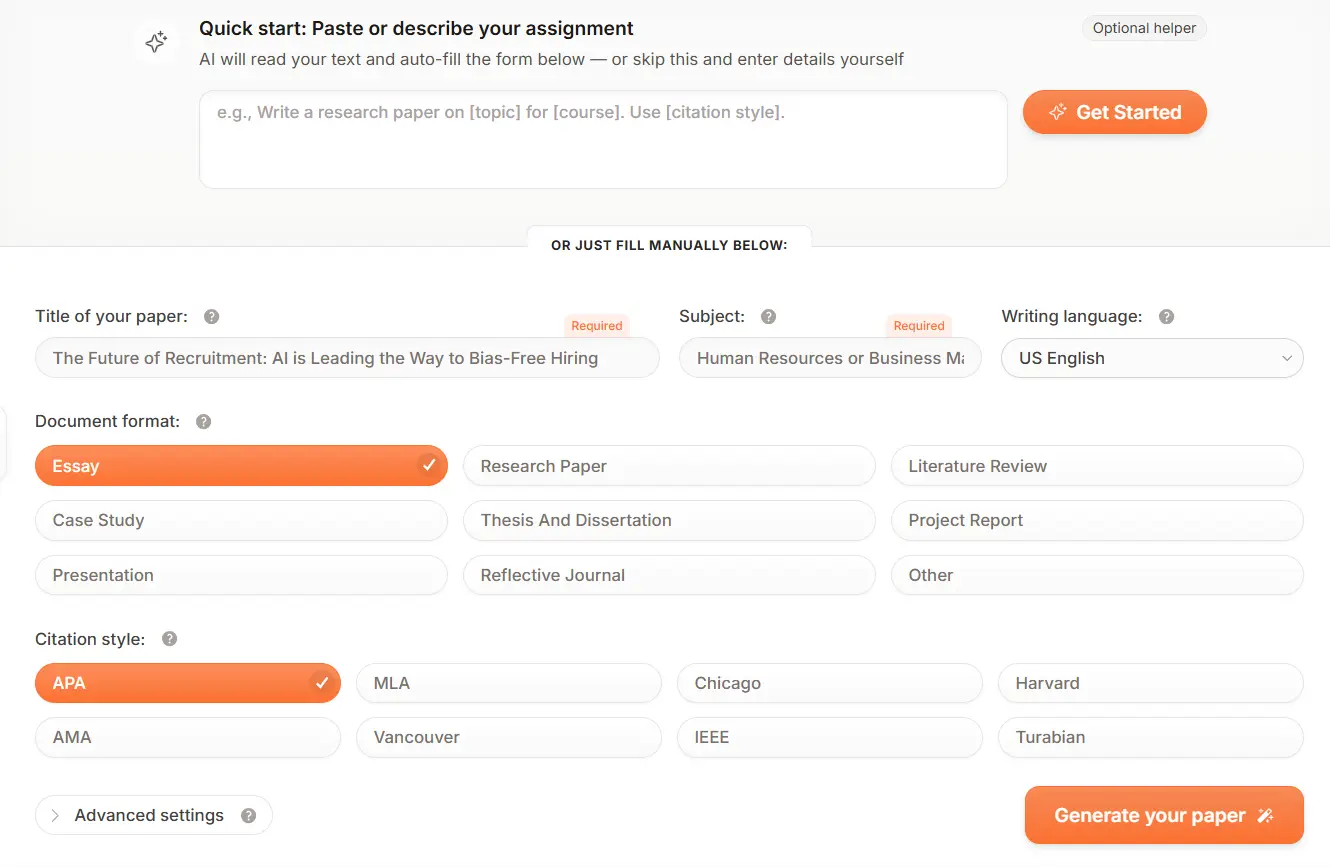
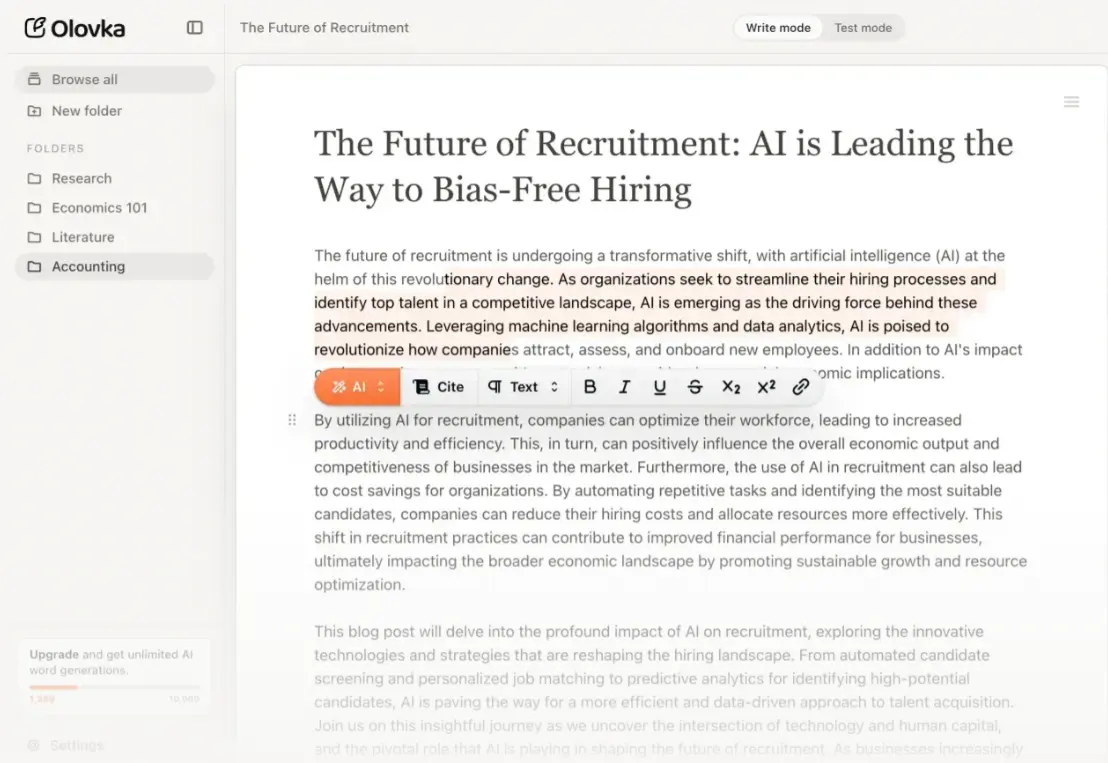
Olovka AI is an emerging free AI essay writer for students in 2026, designed for structured academic writing and assignments. With a simple layout and guided prompts, it avoids technical complexity and works well for everyday student use. Many learners rely on this tool to create quick drafts, maintain logical flow, and apply proper formatting while keeping control over final edits.
Official link: Olovka AI
Key Features
Generates structured essays with clear introductions, body sections, and conclusions
Simple interface, beginner-friendly
Focus on academic clarity and logical flow
Fast draft generation for short assignments
Guided writing support without distractions
How Students Use Olovka AI
Enter topic or assignment question
Select essay type and generate draft
Edit language, add references, and adjust arguments before submission
Student-Friendly Pricing
| Plan | Price | Notes for Students |
|---|---|---|
| Free | $0 | Limited usage, suitable for short essays |
| Premium | Varies | Longer output and better refinement |
💡 Tip for students: Free plan works well for short assignments. Premium is useful for longer essays or repeated use.
Pros & Cons
| Pros | Cons |
|---|---|
| Very easy to use | Limited deep reasoning |
| Good essay structure | Fewer customization options |
| Fast output | Not ideal for research-heavy work |
Best For
Students who want quick essay drafts
Beginners needing guided academic structure
Short assignments with tight deadlines
How Students Can Boost Writing with Olovka AI
Real Student Example: A college student generated a 1200-word essay draft, then edited manually, cutting writing time by more than half.
Safety tip: Always revise content, add personal insights, and verify facts before submission
Suggested Prompts or Use Examples
- “Write an argumentative essay outline about renewable energy adoption in developing countries, including three main arguments with supporting evidence”
- “Generate a thesis statement for an analytical paper on symbolism in The Great Gatsby, focusing on the green light motif”
- “Create body paragraphs for a compare-and-contrast essay examining online vs. traditional education, using APA citation format”
- “Draft an introduction paragraph for a research paper on climate change’s economic impacts, including a hook and thesis statement”
- “Develop a counterargument section for my essay on social media regulation, addressing free speech concerns”
- “Rewrite this paragraph in a more formal academic tone while maintaining the original argument: [paste your text]”
I tried Olovka AI specifically for essay writing, and here’s the real deal: It is excellent for generating a quick structure and getting your first few paragraphs down without any ‘blank page’ anxiety. But, being brutally honest, the free version can be a bit stingy with word counts. It’s perfect for short essays or high school assignments, but if you’re a university student looking for a deep, 2,000-word analysis, you’ll need to use it more as an assistant rather than a solo writer.
Yomu AI Overview
Yomu AI is a free AI essay writer built specifically for academic writing and research support. It focuses on improving sentence clarity, enhancing academic tone, and maintaining formal writing standards, making it ideal for university-level assignments. Most students choose this tool when they need to polish drafts, improve coherence, or synthesize multiple research sources effectively.
Official link: Yomu AI
Key Features
Strong academic tone refinement
Improves sentence clarity and logic
Research-friendly writing assistance
Ideal for editing and polishing drafts
Focus on structure and coherence
How Students Use Yomu AI
Paste draft sections or notes
Refine paragraphs and improve sentence flow
Adjust tone to meet academic standards
Student-Friendly Pricing
| Plan | Price | Notes for Students |
|---|---|---|
| Free | $0 | Basic editing and suggestions |
| Pro | Paid | Advanced academic refinement |
💡 Tip for students: Use free plan for polishing drafts. Upgrade only for research-heavy projects.
Pros & Cons
| Pros | Cons |
|---|---|
| Strong academic tone | Not ideal for brainstorming |
| Improves clarity | Limited creative writing |
| Great for editing drafts | Requires existing content |
Best For
University students working on research papers
Formal academic essays
Assignments needing polished language
How Students Can Boost Writing with Yomu AI
Real Student Example: A postgraduate student refined a research paper draft, improving readability without changing original ideas.
Safety tip: Always verify citations and references manually.
Suggested Prompts or Use Examples
- “Analyze these five papers and identify the main theoretical frameworks used to explain X phenomenon”
- “Create a literature review paragraph synthesizing findings on Y topic from documents 2, 5, and 7”
- “Paraphrase this section while maintaining academic tone and technical accuracy: [paste text]”
- “What are the main criticisms of Z theory across these uploaded sources?”
- “Generate an annotated bibliography entry for Document 3, summarizing methodology, findings, and relevance”
- “Compare how Document 1 and Document 4 approach the concept of [specific concept], highlighting differences”
I tested Yomu AI’s free version, and honestly, it’s a solid helper for students. The best part is how it automatically handles citations, which usually takes forever. However, like most AI tools, the writing can sometimes feel a bit stiff. I suggest using it to build your main structure and then tweaking a few sentences to make it sound more like ‘you.’ For a free tool, it’s definitely one of the better options I’ve tried.
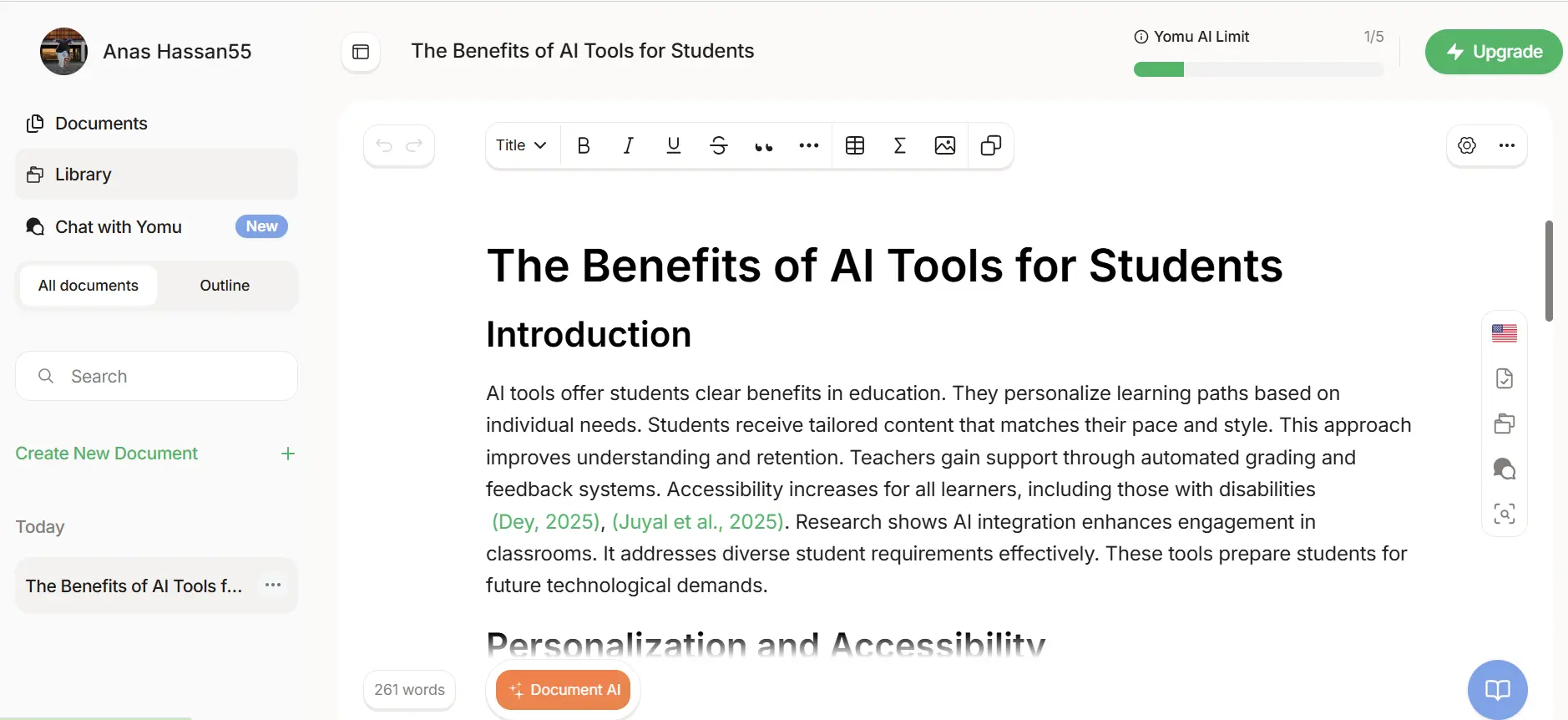
When I first opened Yomu AI, I was honestly impressed by how ‘clean’ it looked no distracting ads, just me and my document. But here is what really stood out during my test: look at the green text in the screenshot. It automatically handles citations (like Dey, 2025), which is a massive time-saver for any student.
However, I have to be blunt about the ‘Free’ part. If you look at the top right of my screen, you’ll see a ‘1/5 Yomu AI Limit.’ This means as a free ai essay writer, it’s quite restrictive. You only get a few documents before that big green ‘Upgrade’ button becomes unavoidable. I’d say Yomu is perfect for your most important term paper where you need those citations to be spot-on, but for daily casual writing, you might hit that limit faster than you’d like.
Aithor AI Overview
Aithor AI is a free AI essay writer designed to help students expand ideas into structured academic paragraphs. It works best during the drafting stage, turning outlines into readable essays while keeping a formal academic tone. Students often use Aithor AI to develop paragraphs quickly, maintain consistent academic language, and streamline the essay writing process.
Official link: Aithor AI
Key Features
Expands ideas into structured paragraphs
Maintains formal academic tone
Supports logical content progression
Useful for drafting stage writing
Simple workflow for students
How Students Use Aithor AI
Start with topic or outline
Generate paragraph-level content
Edit and personalize to match assignment rules
Student-Friendly Pricing
| Plan | Price | Notes for Students |
|---|---|---|
| Free | $0 | Limited word generation |
| Premium | Paid | Higher limits and refinement |
💡 Tip for students: Free plan works for short drafts. Premium helps with longer assignments.
Pros & Cons
| Pros | Cons |
|---|---|
| Good for expanding ideas | Needs manual editing |
| Maintains academic tone | Limited research depth |
| Easy drafting support | Not citation focused |
Best For
Students turning outlines into full essays
Drafting academic assignments
Maintaining consistent academic language
How Students Can Boost Writing with Aithor AI
Real Student Example: A student turned a rough outline into a full essay draft, saving several hours during drafting.
Reminder: Always personalize and review before submission.
Suggested Prompts or Use Examples
- “Write a 500-word persuasive essay arguing that schools should start later in the day”
- “Create an outline for an informative essay about the benefits of meditation, including three main points”
- “Generate a draft essay comparing city life and rural life for a high school English class”
- “Write body paragraphs explaining the causes of the American Revolution for a history assignment”
- “Create a personal narrative essay about overcoming a challenge, approximately 400 words”
- “Draft an argumentative essay thesis statement about whether homework helps or hurts student learning”
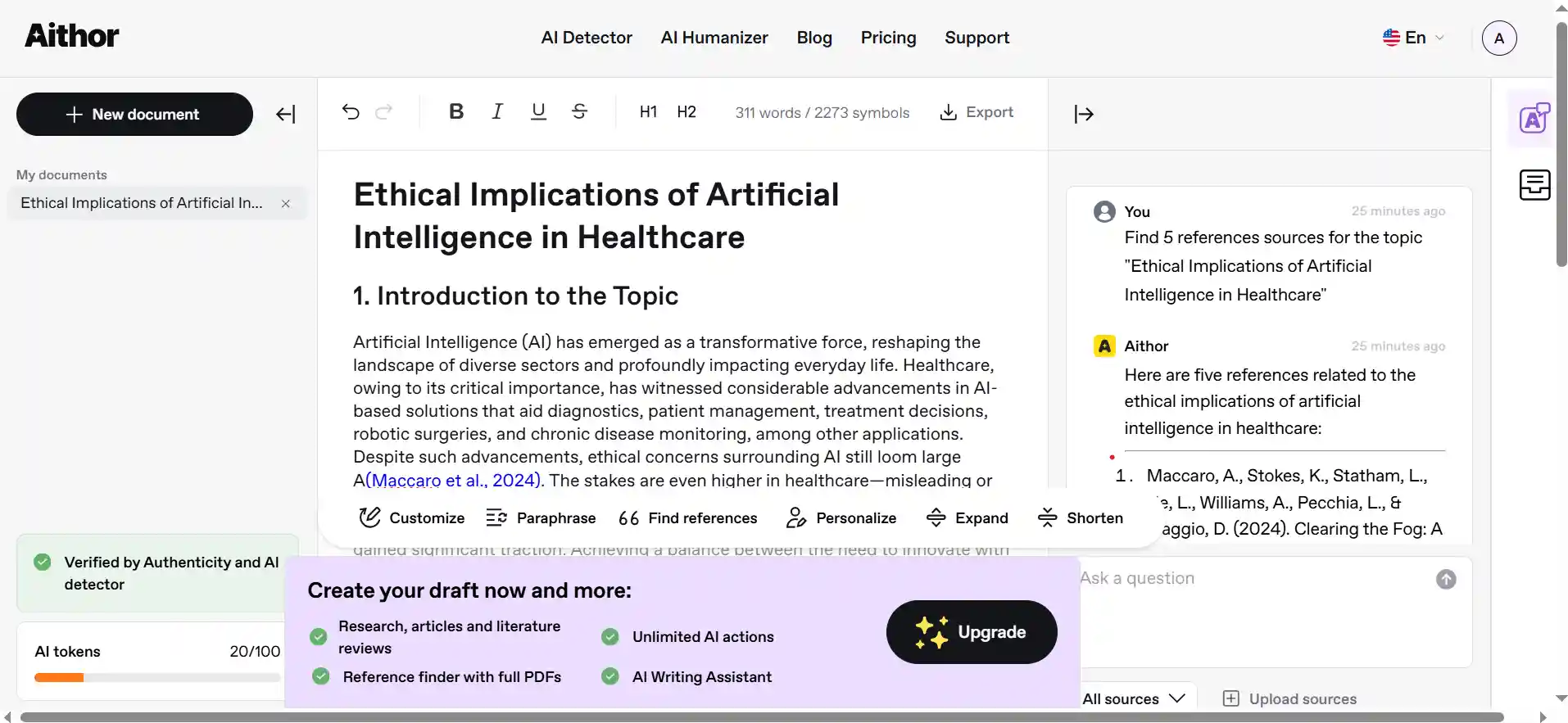
I’ll be real: Aithor AI is a lifesaver when it comes to citations. Most tools just give you text, but I love how this one actually structures things in MLA or APA format for me. It’s easily one of the cleanest interfaces I’ve used for a free AI essay writer.
One quick heads-up: In my screenshot, you’ll notice an ‘Upgrade’ pop-up. Like most ‘free’ tools in 2026, Aithor does nudge you to go Pro for advanced features. I found that while the free version is great for a quick start, the pop-ups can be a bit annoying if you’re in a flow. My advice? Use it to build your research skeleton, but don’t feel pressured to upgrade unless you’re doing heavy academic work daily.
Which AI Essay Writer Should You Choose in 2026?
“After spending hours testing these three, here is my honest breakdown to help you choose:
Choose Olovka AI if: You are in a rush and want the most straightforward experience. It’s my go-to when I just need a solid draft without jumping through hoops.
Choose Yomu AI if: You are working on a serious academic paper. Even with the 1/5 document limit, the way it handles citations (like the ones I showed you in the screenshot) is miles ahead of others.
Choose Aithor AI if: You need a balance between a clean interface and structured academic outlines. It’s great if you’re tired of the ‘robotic’ feel of basic generators.
My Final Verdict: If I had to pick just one as the best free ai essay writer for a heavy assignment, I’d start with Yomu for the citations, but keep Olovka as a backup for when I hit those pesky usage limits.”
Once your essay is polished and ready, the next step is often turning that research into a slide deck. To make your life even easier, I’ve also reviewed the best AI tools for presentation that can help you design professional slides in seconds.
FAQs
1. Which free AI essay writer is best for avoiding AI detection? Yomu AI and Claude are the most effective. They use natural sentence structures that mimic human writing better than most tools.
2. Can I get real academic citations with a free AI essay writer? Yes, Aithor AI and Yomu AI are the best options. They generate real citations in MLA, APA, and Chicago formats directly in the editor.
3. Is there a truly unlimited free AI essay writer? Most specialized tools have limits, but ChatGPT (GPT-4o mini) offers the most generous free usage for drafting long essays without a paywall.
4. Are free AI essay writers reliable for factual research? They are great for structure but can sometimes “hallucinate” facts. I always recommend double-checking dates and names with a quick Google search.
5. What is the fastest way to humanize an AI-generated essay? Give the AI a “Student Persona” in your prompt. Then, manually add 2-3 personal opinions to make the text feel 100% original.