
Why Students Need the Best AI Tools for Presentation in 2026
Presentations are no longer optional in education. Students must explain ideas clearly, visually, and confidently. The best AI tools for presentation help turn rough notes into clean slides, improve structure, and keep content focused.
These tools are especially useful for students who struggle with organizing ideas, summarizing research, or designing slides. By using AI support, students save time, reduce stress, and submit presentations that look polished and professional.
Comparison of the Best AI Tools for Presentation (2026 Updated)
| Feature | Gamma AI | Canva AI | Skywork AI |
| Primary Intent | Structural Logic | Visual Branding | Research Planning |
| Learning Curve | Instant (Low) | Moderate | Fast |
| Export Options | PDF, PPTX, Web | All Formats | Text/Outline |
| Mobile Sync | Excellent | Very Good | Basic |
| Offline Editing | No | Limited | No |
Gamma AI: The Best Tool for Turning Course Notes into Slides Fast
Gamma AI is widely considered the best AI tool for presentation structure in 2026. Unlike traditional software, it uses a unique “Card-based” system that treats your slides like a responsive webpage, making them look perfect on both laptops and mobile phones.
-
Key Semantic Feature: Topic-to-Deck Conversion. It understands Information Architecture. It analyzes the logical flow required for an academic lecture, ensuring that your introduction, core arguments, and conclusion follow a pedagogical sequence.
-
Best For: Students who have “messy” rough notes or a complex research paper and need a professional, structured layout in under 60 seconds.
The “Golden Prompt” for Gamma AI:
To get the best out of Gamma’s semantic engine, use this specific prompt:
“Act as a PhD researcher. Generate a 10-card deck about [Topic]. Focus on ‘Information Density’—keep bullets concise, use a ‘Minimalist Academic’ theme, and include a comparative table on slide 5 to summarize key findings.”
Official Link for Skywork AI
Gamma AI: Pros, Cons, & Pricing (2026 Update)
Pros:
-
Unmatched Speed: Go from a single prompt to a full presentation in less than 45 seconds.
-
Interactive Elements: Easily embed live YouTube videos, TikToks, Spotify playlists, or even functional websites directly into your cards.
-
Smart Layouts: If you add more text, the AI automatically rearranges the layout so nothing looks cluttered.
-
Collaboration: Real-time co-editing makes it perfect for group assignments.
Cons:
-
Grid Constraints: You cannot “free-drag” elements; you must stay within Gamma’s structured blocks.
-
Watermark: The free version includes a “Made with Gamma” badge on exports.
-
Internet Dependent: You cannot edit or generate slides without a stable connection.
Pricing Plans:
-
Free Plan ($0): Includes 400 one-time credits (enough for ~8-10 presentations). You can earn more by referring friends (200 credits per referral).
-
Plus Plan ($10/month): Removes the Gamma branding, allows up to 20 cards per deck, and provides 1,000 monthly credits.
-
Pro Plan ($20/month): Unlimited AI creation, access to advanced AI models (GPT-4o/Gemini 1.5 Pro), and custom fonts for a truly unique look.
My Brutal Honest Opinion on Gamma AI
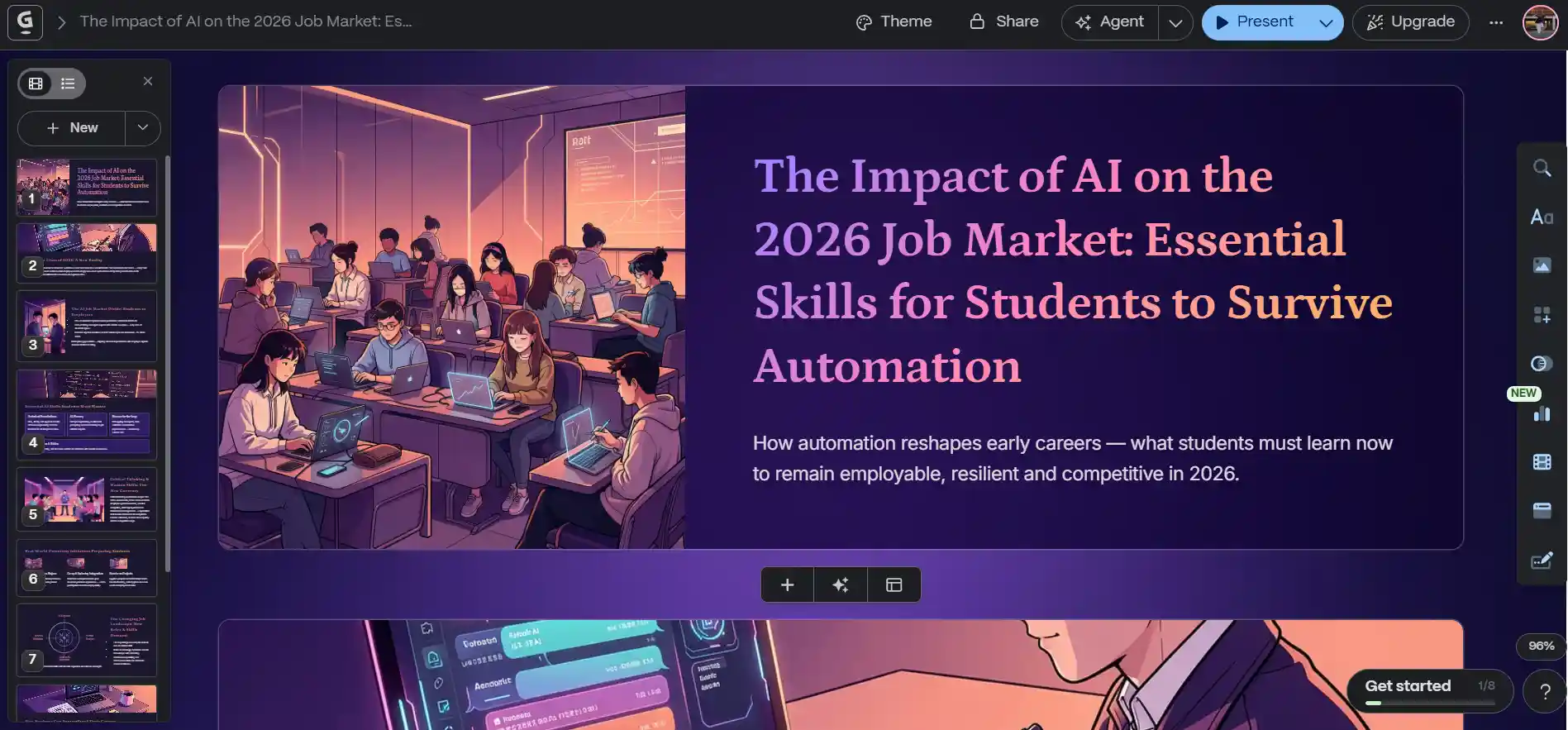
“I’ll be honest after testing dozen of tools, Gamma AI is the only one that didn’t make me want to pull my hair out. What you see in my screenshot isn’t just a lucky break; it’s the result of how Gamma handles complex topics like the ‘2026 Job Market.’
The ‘Real’ Advantage: During my test, I noticed something most people overlook: while Gamma generates these cool AI illustrations by default, you can actually tell it to search for real-life professional images or even upload your own directly into the cards. This is huge for students who need their presentations to look grounded and not just like a futuristic cartoon.
Where it hits the wall (The Free vs. Paid Reality): I’m using the free version here, and it’s great for a 7-8 card deck. But let’s talk business. If you’re a serious student with back-to-back presentations, the Paid version is where the real power lies.
No Gamma Watermark: The free version leaves a ‘Made with Gamma’ badge that can look a bit unprofessional in a formal viva.
Advanced AI Models: Paid users get access to more sophisticated AI that follows complex prompts much more accurately.
Custom Fonts: You can truly match your university’s branding.
My Verdict: If you are looking for the best ai tools for presentation, Gamma is my top pick. It’s fast, it’s intuitive, and it actually understands ‘Technical Foundations’ rather than just giving you fluff. Just remember to double-check the AI-generated images sometimes a real photo works better than an AI one to build trust with your professor.”
Canva AI (Magic Design): The Design Powerhouse
When your grade depends on visual impact, Canva AI is the winner. Its “Magic Design” feature scans your text and suggests templates that match the “vibe” of your subject.
-
Key Semantic Feature: Visual Consistency. It ensures that your fonts, icons, and charts follow a unified brand identity.
-
Best For: Design-heavy subjects like Marketing, Arts, or Architecture where aesthetics are part of the rubric.
The “Golden Prompt” for Canva AI:
“Create a presentation for a [Subject] project on [Topic]. Use a [e.g., Cyberpunk / Minimalist / Earthy] aesthetic. Include high-quality icons, data-driven charts, and ensure a ‘Visual Storytelling’ layout with minimal text and maximum impact.”
Official Link for Canva
Pros & Cons:
-
Pros: Massive asset library (100M+ graphics); best-in-class collaboration for group projects; “Magic Switch” to instantly resize slides for social media or docs.
-
Cons: AI-generated text can feel generic compared to Gamma; requires more manual “tweaking” to get the design exactly right; mobile app can occasionally lag with heavy AI features.
Pricing (2026):
-
Free Plan: $0 (Basic templates and limited AI uses).
-
Canva Pro: ~$15/month (Unlimited premium assets, full AI Magic Studio access).
-
Canva Education: Free for verified K-12 students and teachers.
My Take on Canva:
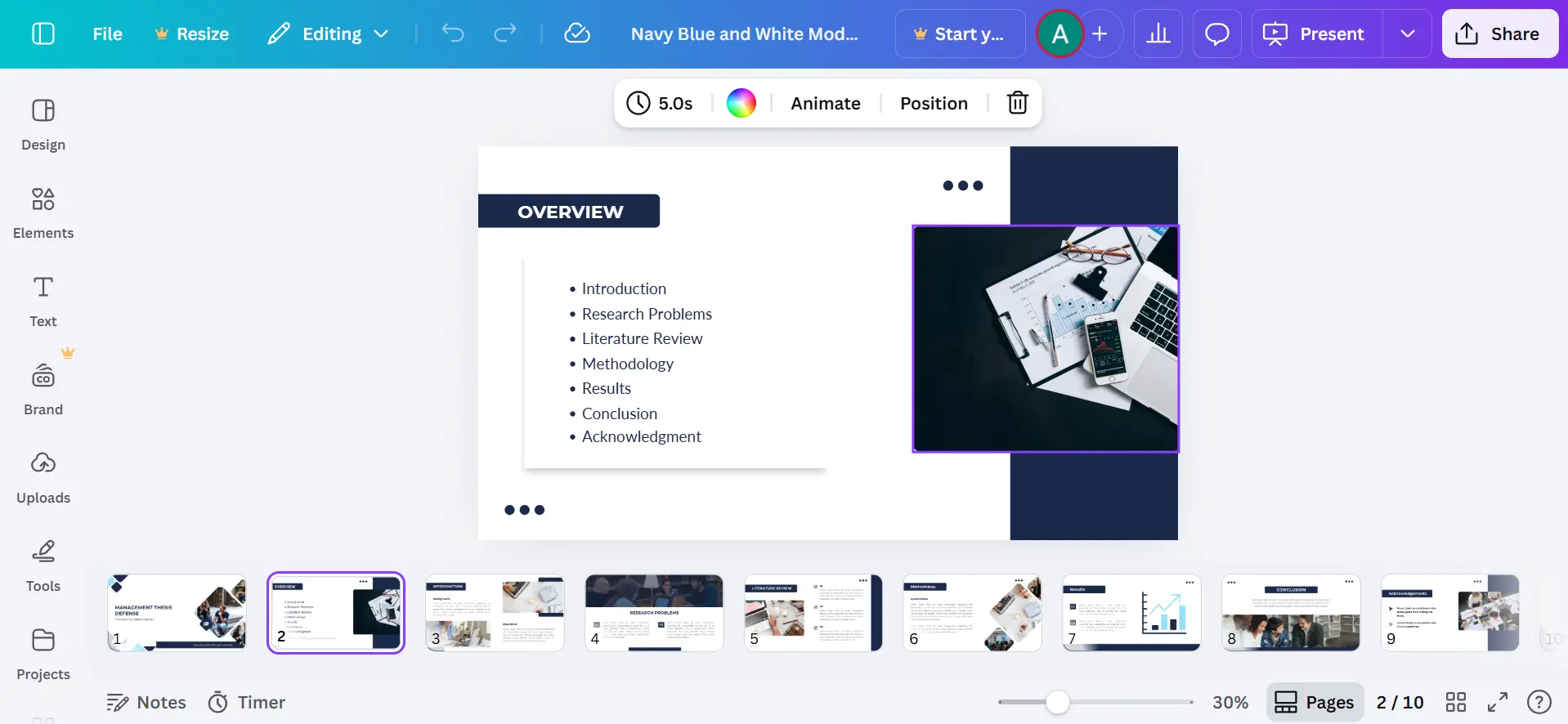
“From an expert perspective, my biggest gripe is the ‘template trap.’ I see so many students using the same Canva AI presentation layouts that they all start to look identical. If you don’t spend time deeply customizing it, your ‘unique’ presentation ends up looking like everyone else’s. It’s powerful, sure, but it demands more ‘human effort’ than the marketing leads you to believe. If you’re lazy, this tool isn’t going to save you—it’s just going to give you more options to mess up.”
Skywork AI: The King of Research & Credibility
For university students, Skywork AI is the best choice when academic integrity is the priority. It features a “Deep Research” mode that browses the live web to find verifiable data.
-
Key Semantic Feature: Auto-Citations & Data Visuals. It reduces the risk of “AI hallucinations” by sourcing facts directly from credible databases.
-
Best For: STEM students, PhD candidates, and Thesis defenses where every claim needs a reference.
The “Golden Prompt” for Skywork AI:
“Act as a Lead Researcher. Conduct ‘Deep Research’ on [Topic] and generate a 12-slide structured outline. Include APA-style in-text citations, a slide for ‘Methodology,’ and a summary of the latest 2025-2026 data trends.”
Official Link for Skywork AI
Pros & Cons:
-
Pros: High accuracy with citation-backed writing; powerful “Super Agents” that handle complex research; exports easily to DOCX or PPTX.
-
Cons: Visuals are professional but “plain” compared to Canva; deep research takes longer (2-5 minutes) to generate.
Pricing (2026):
-
Free Trial: Daily credits for the first month (approx. 500 credits/day).
-
Monthly Pro: $16.99/month (Includes 7,000 monthly credits and unrestricted research database access).
-
Yearly Plan: $149.99/year (Best value for long-term thesis work).
Skywork AI: My Honest Take
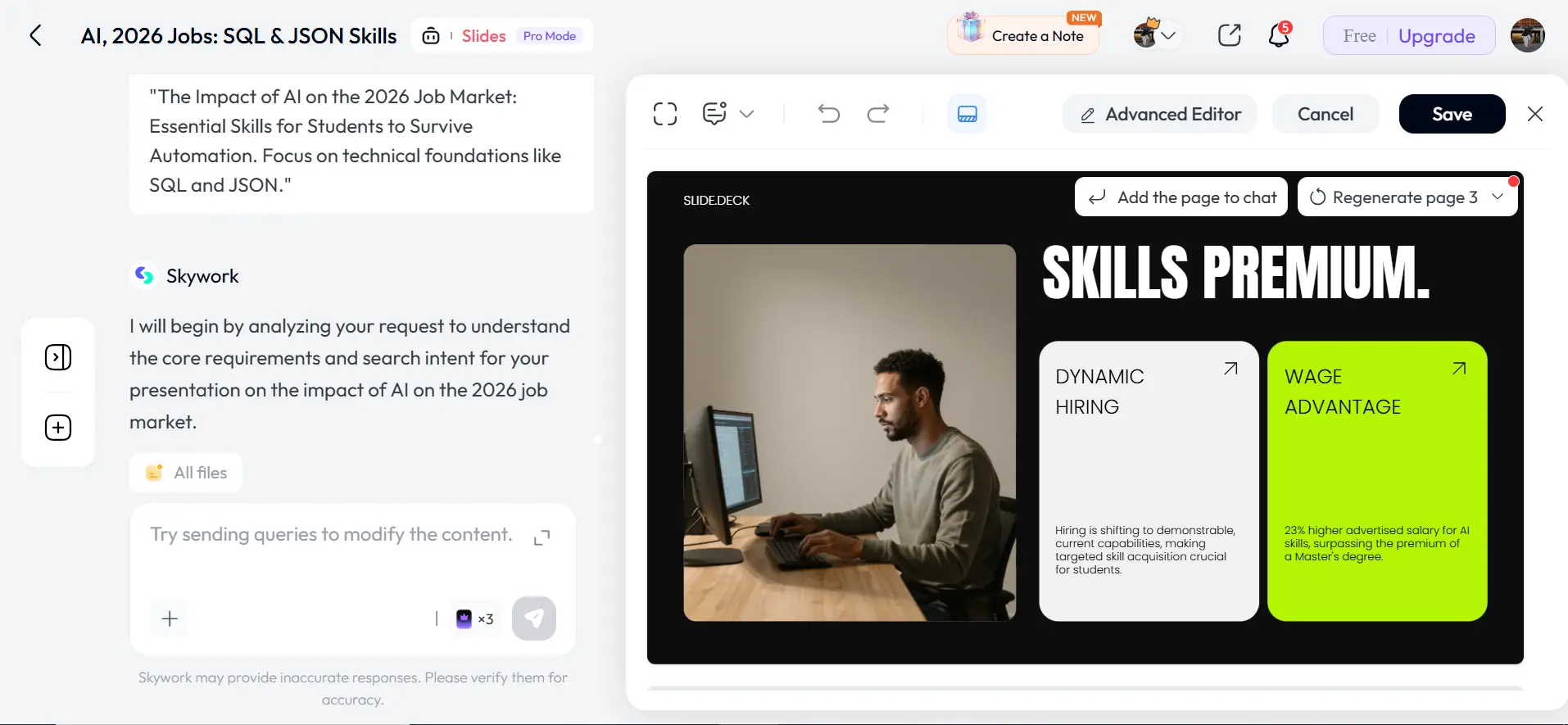
“I’ll be direct: Skywork AI is for students who prioritize substance over style. While testing it for the 2026 job market trends, I noticed it actually researches technical details like SQL and JSON instead of just giving generic advice.
What I Discovered:
Real Context: The AI understands specific ‘Technical Foundations’ and ‘Wage Advantages,’ making your slides look expert-level.
Better Visuals: It uses professional real-life photos rather than just AI-generated cartoons, which builds more trust with professors.
The ‘Agent’ Power: You can prompt the AI to search for data first, then build the slides—a smart move Gamma doesn’t do as well.
The Brutal Truth: The free version is great for a standard 10-slide project. However, the ‘Pro Mode’ (visible in my screenshot) is necessary if you want to remove limits and use advanced editing for high-stakes presentations. If you want a tool that actually ‘thinks’ about your topic
Final Verdict: Which AI Tool Should You Actually Use?
After testing dozens of platforms for academic use, I personally believe there isn’t a single “perfect” tool, but there is a perfect tool for your specific needs.
If you are like me and often find yourself starting a project at the last minute, I highly recommend Gamma AI.
Now that you know the best ai tools for presentation, your next step is to ensure your research is top-notch. Read my full guide on the top AI tools for academic research to become a pro at university assignments.
FAQs
Which AI is best for presentation?
The best AI for presentation depends on your goal, structure focused tools organize content logically, while design focused tools improve visual impact.
Can ChatGPT make PPT?
ChatGPT can generate slide content and outlines, but you need a presentation tool to convert that content into a formatted PPT file.
How to make PPT by AI?
Choose an AI presentation tool, enter your topic, let it generate slides automatically, then export the file as PPTX or PDF.
Which AI presentation tool is best for students?
The best AI presentation tool for students depends on whether they need structured logic, strong design, or citation support.